Catch the silence before your client does.
WordPress form notifications don't usually fail with an error.
They fail quietly.
A staff email changes. A mailbox fills up. A plugin update changes behaviour. A notification is still being sent — just not to anyone who sees it.
Weeks later your client asks,
"We haven't had an enquiry in ages. Is something wrong?"
By then, nobody knows how many leads have already disappeared.
Always Alert is Form Notification Assurance for WordPress.
It makes sure a copy of every important form notification reaches an inbox your client controls, then watches for the silence that usually tells you something has gone wrong. With a second recipient on the client's side, one stale or abandoned mailbox doesn't mean total silence.
See How It Works ↓
This isn't an email problem.
It's an awareness problem.
Most agencies assume form notifications are working because nothing says otherwise.
WordPress doesn't tell you.
SMTP plugins don't tell you.
Your hosting doesn't tell you.
Your client certainly doesn't tell you... until they realise nobody has contacted them for weeks.
The hardest part has never been sending email. It's knowing when nobody is receiving it.
The real cost isn't a broken form. It's everything that happens before anyone notices.
Lost enquiries
Someone tried to become a customer. Nobody knew.
Lost revenue
Quotes. Bookings. Consultations. Sales. They simply never happen.
Lost trust
Clients don't blame email. They blame the website. Then they blame the agency.
Lost confidence
You begin questioning every website you've launched. Did that form work? Is it still working? Nobody actually knows.
Lost time
Support tickets. Emergency investigations. Checking SMTP, spam, DNS, plugins, hosting. Hours disappear trying to discover when the problem started.
Lost reputation
The client thinks they found something you should have found first. That's the conversation every agency wants to avoid.
Why hasn't someone solved this already?
Because everyone focused on the plumbing. Most WordPress email products solve a different problem.
- SMTP Plugins
- Better email transport
- Transactional Mail
- Better sending infrastructure
- Email Logs
- Records what was sent
- Form Builders
- Creates forms
- CRM Systems
- Stores enquiries
All valuable. None of them monitor the absence of enquiries. None of them tell you when a site suddenly becomes unusually quiet. None of them provide a safety copy independent of every individual form.
That's where Always Alert fits.
Always Alert sits above your existing email system.
It doesn't replace SMTP. It doesn't replace transactional email. It doesn't replace your forms.
It simply adds a layer of assurance before WordPress hands the email to your existing mail system. Every eligible notification receives a fallback copy. Every notification contributes to activity monitoring.
If activity suddenly stops... Always Alert tells you. Exactly what it was designed to do.
What Always Alert actually does.
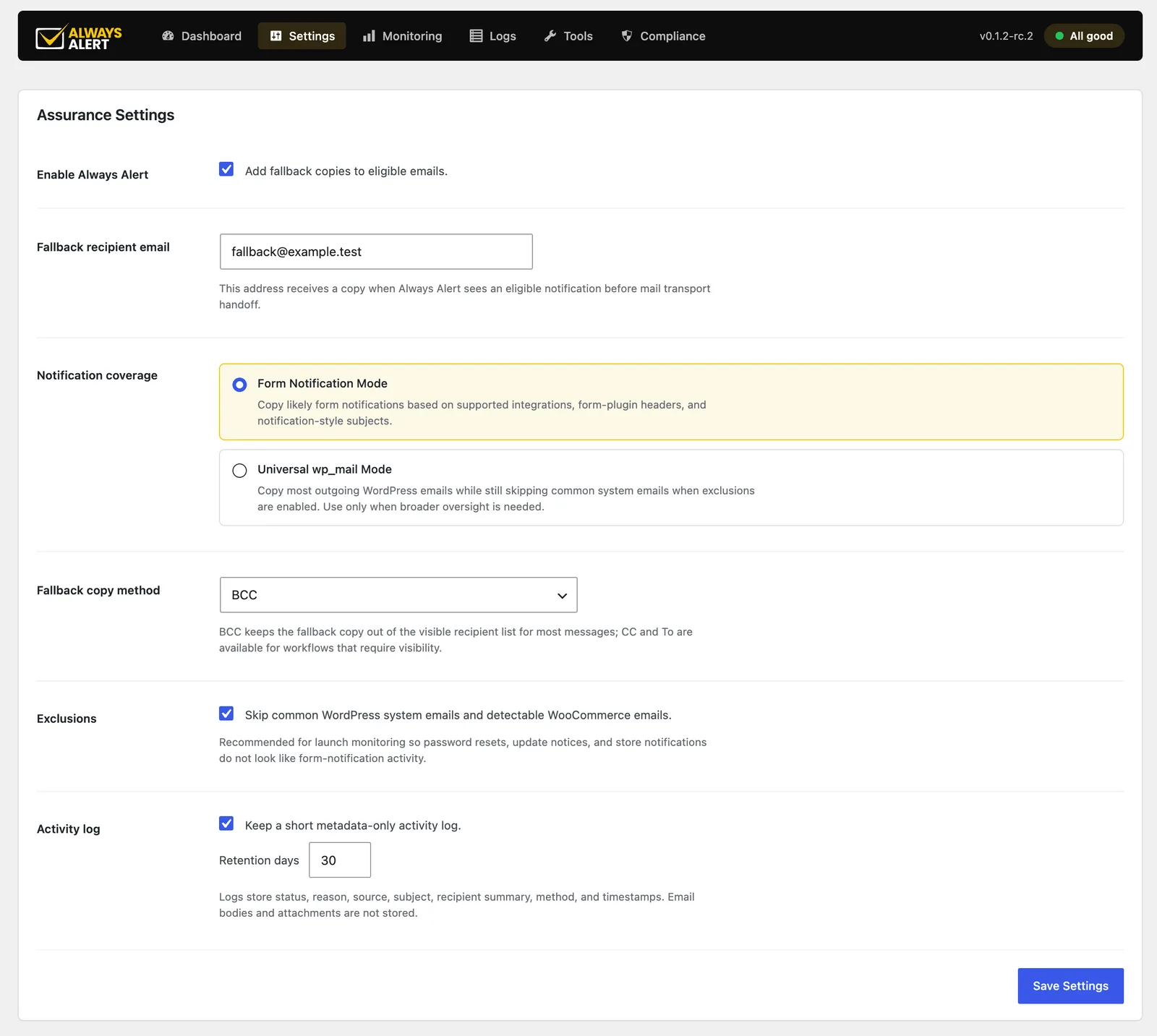
Adds a fallback copy
Every important notification can also go to a fallback inbox your client owns.
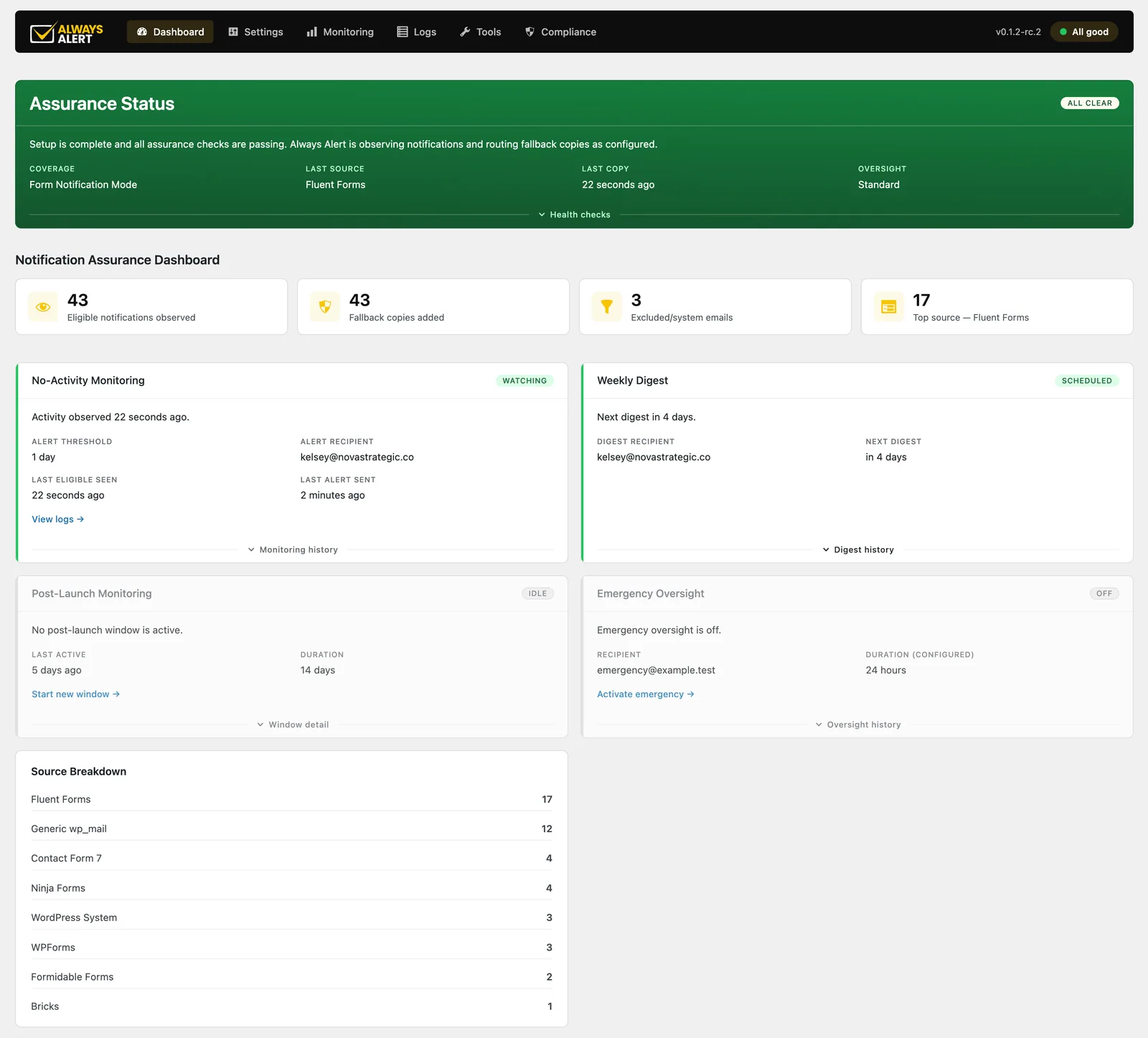
Watches activity
Records when notifications were last seen.
Alerts when a site goes quiet
The silence often matters more than the emails.
Weekly assurance digest
Sent to the client's fallback inbox by default, or to an address you choose. Know what's happening without logging into every website.
Post-launch monitoring
The weeks after launch are when agencies are most nervous. Always Alert watches with you.
Emergency mode
When a client thinks enquiries have stopped, temporarily add an emergency recipient to every eligible notification for a set period while you investigate. Switch it off at any time.
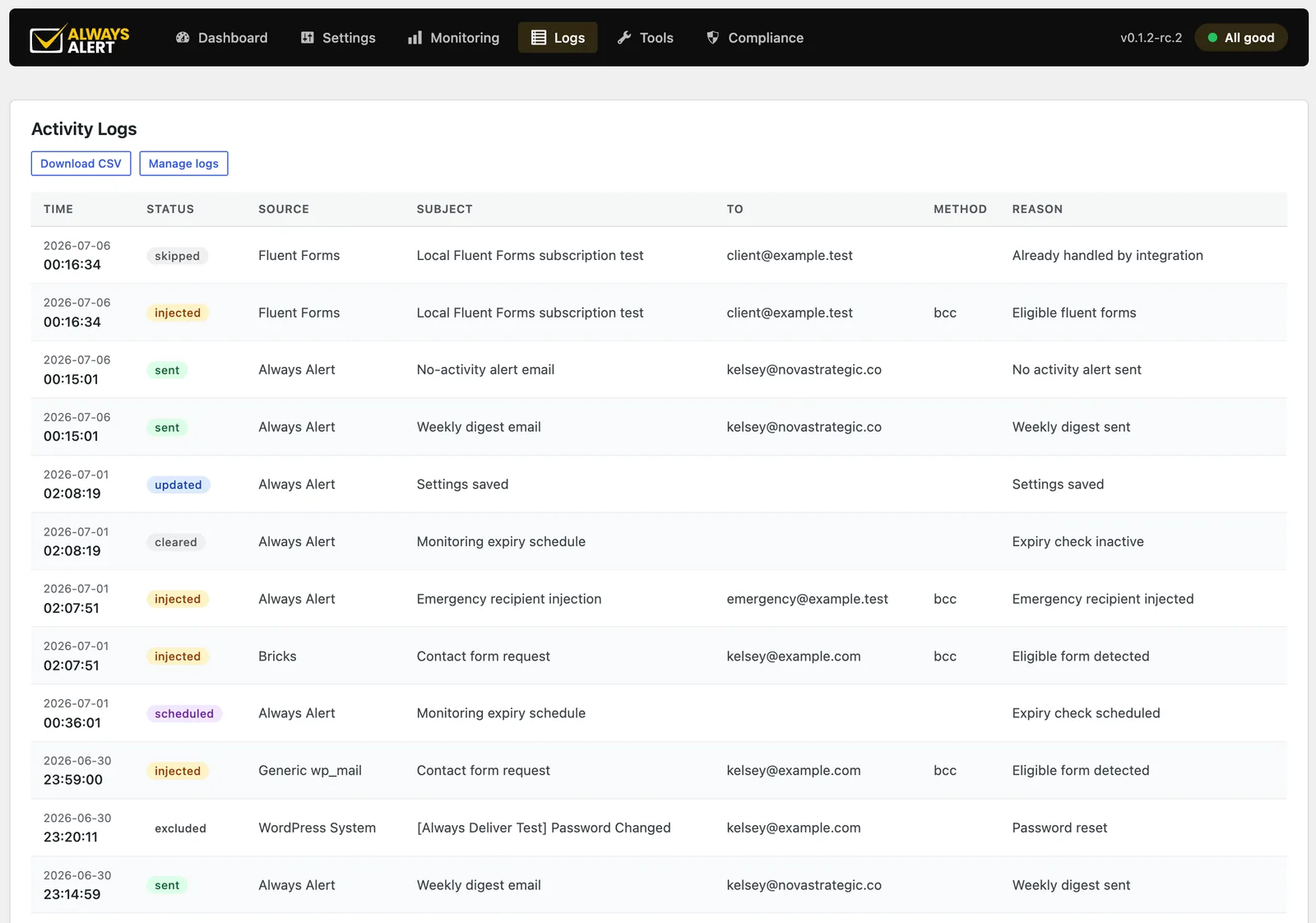
Know which plugin sent it before you start digging.
Every eligible notification is logged with its source, status and destination — Fluent Forms, CF7, Ninja Forms, WPForms, Formidable and Bricks native forms, plus WordPress system mail. Most other form systems are picked up too, as long as they send through wp_mail. That includes Gravity Forms, though we haven't officially tested it yet. No more opening five plugins to find where an email came from.
What it deliberately doesn't do.
One reason agencies trust Always Alert is because it doesn't promise what nobody can honestly promise. It does not:
- Send email itself
- Replace SMTP
- Guarantee inbox delivery
- Improve sender reputation
- Fix SPF, DKIM or DMARC
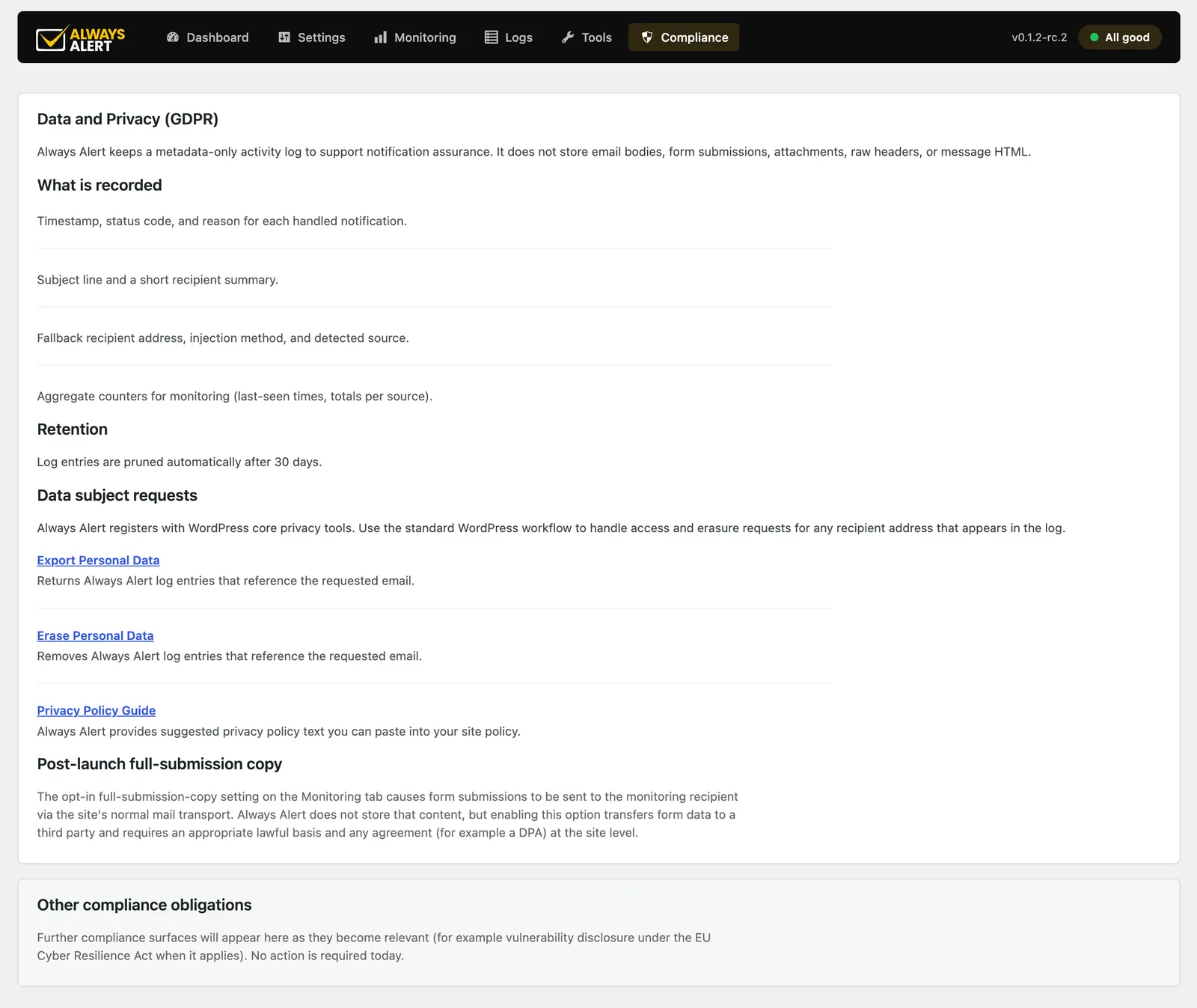
- Store complete enquiry submissions
- Replace your form plugin
Those problems belong to other tools. Always Alert solves a different problem. Knowing.
Who it's built for.
Agencies
Catch issues before clients do.
Freelancers
Install it on every care-plan website.
Developers
Finally have evidence of what WordPress actually attempted.
Business owners
Know a copy of every important enquiry reaches somewhere safe.
What changes.
Why agencies install it everywhere.
The most successful WordPress plugins didn't become standards because they were exciting. They became standards because they removed one recurring frustration from every project.
Gravity Forms did it for complex forms. Advanced Custom Fields did it for custom fields. WP Rocket did it for caching. Always Alert aims to do the same thing for form notification assurance.
Install it once. Leave it running. Know when something changes.
Your client's next enquiry shouldn't disappear quietly.
Always Alert isn't another email plugin. It's the assurance layer that sits above your existing email system and watches for the problems nobody else is watching.
Know your forms are working. Prove it.
Plain settings. Metadata-only logs. Nothing hidden from you or your clients.